512 × 512 PNG
Galeri Logo DLS Lengkap
Disini kamu bisa menemukan koleksi berbagai macam logo dls klub, keren, esports, polosan hingga mentahan yang siap pakai di dalam game.
Tentang Logo DLS
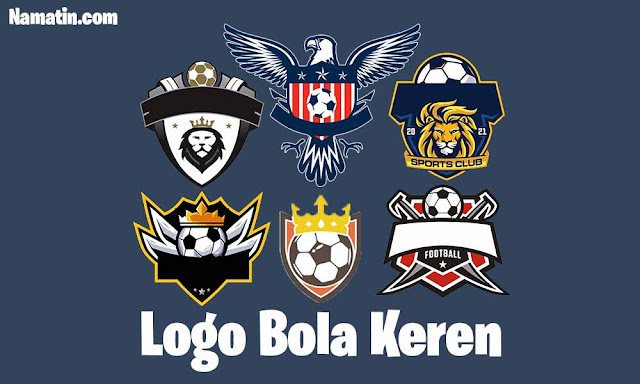
Seluruh logo di dalam katalog ini telah disesuaikan ukuran yang bisa langsung digunakan ke dalam game, yaitu menggunakan rasio persegi ukuran resolusi paling tinggi 512x512 piksel serta memiliki background transparan. Tersedia pula variasi template polosan dan mentahan tanpa teks bagi kamu yang ingin berkreasi. Disini memiliki fitur Salin Link tanpa ribet sehingga kamu tinggal ke menu Edit Logo dan tempel di kolom yang tersedia untuk menggunakannya.
👕 Buat Kit & Pasang Logo Custom
Suka dengan koleksi logo DLS di atas? Kamu bisa langsung memasang logo pilihanmu ke dalam desain jersey buatanmu sendiri secara gratis tanpa aplikasi tambahan.
📌 Rekomendasi Logo DLS Lainnya:
Cara Mengubah Logo DLS di Game Dream League Soccer
- Pilih logo yang diinginkan lewat slider atau daftar isi di atas.
- Klik tombol "Salin Link Kit" untuk menyalin URL gambar PNG.
- Buka game Dream League Soccer di smartphone kamu.
- Masuk ke menu My Club > Customise Team > Edit Kit lalu pilih logo .
- Tekan tombol Download Custom Logo di pojok kiri bawah.
- Paste (tempel) URL yang sudah disalin, lalu pilih Confirm .
Ukuran dan Format Logo DLS yang Benar
Logo yang gagal diimpor hampir selalu bermasalah di ukuran, format, atau jenis link. Gunakan tabel ini sebagai acuan:
| Syarat | Ketentuan |
|---|---|
| Ukuran maksimal | 512 × 512 piksel |
| Rasio | Persegi (1:1) |
| Format file | PNG (disarankan) |
| Latar belakang | Transparan, supaya tidak ada kotak putih di sekitar logo |
| Jenis link | Link langsung ke gambar (direct link) yang bisa dibuka publik, bukan link ke halaman web |
| Tempat menyimpan gambar | Layanan hosting gambar seperti Imgur atau ImgBB |
PNG atau JPG? Pilih PNG. PNG mendukung latar transparan dan menjaga garis tipis serta teks kecil tetap tajam. JPG selalu punya latar penuh, jadi logo terlihat seperti ditempel.
Catatan: Sebagian logo yang ada di halaman ini berukuran 256 × 256 atau 215 × 215 piksel. Ukuran itu tetap bisa dipakai, tetapi bisa terlihat kurang tajam dibanding 512 × 512. Ukuran logo maksimal disini adalah 512x512px
Logo DLS Gagal Dimuat? Ini Penyebab dan Solusinya
| Masalah | Kemungkinan penyebab | Solusi |
|---|---|---|
| Gagal mengimpor / gambar tidak ditemukan | Link salah, bukan link langsung ke gambar, atau ukuran melebihi 512 × 512 | Salin ulang link dari tombol Salin Link. Pastikan link utuh dan berakhiran file gambar seperti .png |
| Tombol Custom Logo tidak muncul atau terkunci | Fitur ini belum dibuka di akunmu | Ikuti petunjuk unlock di dalam game, lalu coba lagi |
| Logo terlihat buram | Resolusi gambar lebih kecil dari 512 × 512 | Pilih versi logo yang berukuran 512 × 512 |
| Ada kotak putih di sekitar logo | File berformat JPG atau PNG tanpa latar transparan | Gunakan PNG dengan latar transparan |
| Link tidak bisa ditempel | Masalah clipboard atau link terpotong | Salin ulang, lalu tempel lagi. Pastikan tidak ada spasi di awal atau akhir link |
| Gagal mengunduh gambar | Koneksi internet tidak stabil atau link sudah tidak aktif | Periksa koneksi, lalu coba lagi. Kalau tetap gagal, pilih logo lain atau laporkan lewat kolom komentar |
FAQ Logo DLS
Apa itu logo DLS?
Logo DLS adalah gambar lambang tim berformat PNG yang dipasang lewat menu Custom Logo di Dream League Soccer. Logo ini menggantikan lambang bawaan game dengan logo klub, negara, atau desain buatan sendiri.
Berapa ukuran logo DLS yang benar?
Ukuran maksimal adalah 512 × 512 piksel dengan rasio persegi. Disarankan memakai PNG dengan latar transparan.
Kenapa tombol Custom Logo tidak muncul di game saya?
Fitur Custom Logo harus dibuka (unlock) dulu di dalam game sebelum bisa dipakai. Ikuti petunjuk di game, atau baca panduan resmi First Touch Games tentang kustomisasi logo.
Kenapa link logo saya gagal diimpor?
Penyebab paling umum adalah link bukan link langsung ke gambar, ukuran melebihi 512 × 512, atau link terpotong saat disalin. Salin ulang link dari tombol Salin Link, lalu coba lagi.
Apakah saya perlu mengunduh logonya dulu?
Tidak perlu. Cukup salin link-nya dan tempel di kolom Custom Logo. Game akan mengambil gambar langsung dari link tersebut.
Bisakah saya memakai logo buatan sendiri?
Bisa. Buat gambar PNG berukuran 512 × 512 dengan latar transparan, unggah ke layanan hosting gambar seperti Imgur atau ImgBB, lalu salin link langsung gambarnya dan tempel di game.
Mana yang lebih baik, PNG atau JPG?
PNG. Formatnya mendukung latar transparan dan menjaga detail tetap tajam, sedangkan JPG selalu punya latar penuh sehingga logo tampak seperti ditempel.
Apakah logo di halaman ini resmi dari klub?
Halaman ini bukan situs resmi First Touch Games maupun klub mana pun. Nama dan logo klub adalah milik pemiliknya masing-masing. Sebagian logo adalah desain penggemar.